

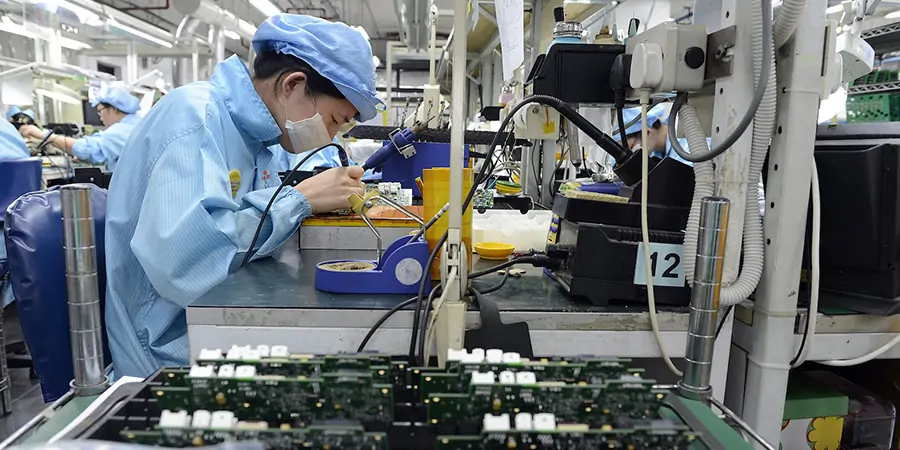
Understanding electronics firmware basics is essential for anyone involved in the development, manufacturing, or maintenance of modern electronic products. Firmware serves as the bridge between hardware and software, providing the low-level control that enables devices to function as intended. Whether you’re a product designer, engineer, or simply interested in how everyday gadgets work, a solid grasp of these concepts can help you make informed decisions throughout the product lifecycle.
For those looking to optimize device performance and ensure reliability, it’s important to consider not only the firmware itself but also related factors such as electronic product design performance testing guide. Early attention to these details can prevent costly issues later in development and production.
What Is Firmware in Electronics?
In the context of electronic devices, firmware refers to specialized software programmed directly into non-volatile memory chips, such as ROM, EEPROM, or flash memory. Unlike regular software, which can be easily replaced or updated by the end user, firmware is typically embedded during manufacturing and is responsible for managing the fundamental operations of the hardware.
Examples of firmware include the code that boots up a microcontroller, manages communication protocols, or controls the timing of a display. It acts as the foundational layer that allows higher-level applications to interact with the physical components of a device.
Key Components of Embedded Firmware
To fully appreciate embedded firmware fundamentals, it’s helpful to break down the main elements that make up this critical layer:
- Bootloader: The initial code that runs when a device powers on, responsible for initializing hardware and loading the main application.
- Device Drivers: Low-level routines that enable communication between the processor and peripherals such as sensors, displays, or communication modules.
- Application Logic: The core functionality that defines how the device responds to inputs and performs its intended tasks.
- Communication Stacks: Protocol implementations (like USB, Bluetooth, or Wi-Fi) that allow the device to exchange data with other systems.
- Update Mechanisms: Secure processes for updating firmware post-production, often via USB, wireless, or over-the-air (OTA) methods.
Why Firmware Matters in Modern Electronics
The importance of firmware development for electronics cannot be overstated. As devices become more complex, the role of firmware expands from simple control routines to sophisticated systems that manage security, connectivity, and user experience. Well-designed firmware ensures that products are reliable, responsive, and secure.
Poorly implemented firmware can lead to a range of problems, including device malfunctions, security vulnerabilities, and compatibility issues. For manufacturers, investing in robust firmware design and thorough testing is critical to maintaining product quality and customer satisfaction.
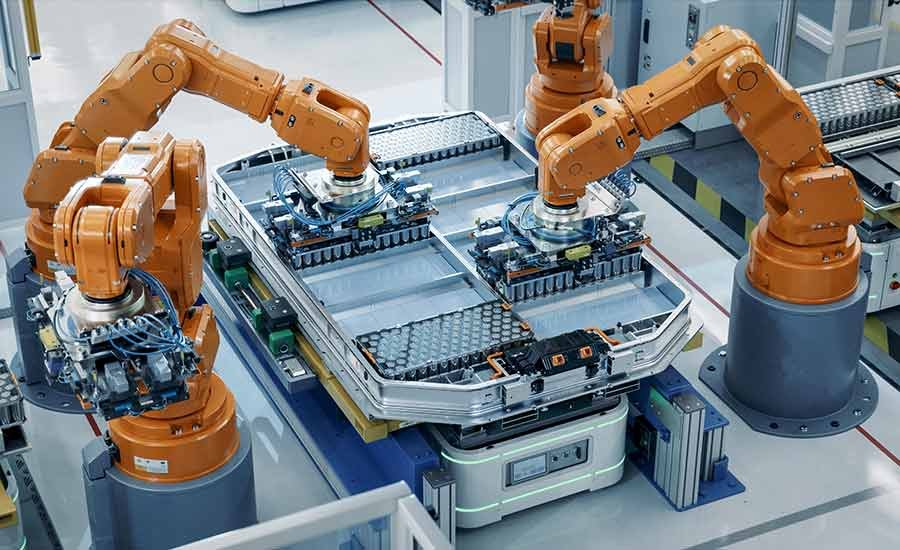
The manufacturing process itself is closely tied to firmware integration. For a comprehensive overview of how electronics are produced and how firmware fits into the workflow, see this complete guide to electronic manufacturing services.
Development Process: From Concept to Deployment
Creating effective firmware involves several key stages, each requiring careful planning and execution:
- Requirements Definition: Clearly outline the device’s intended functions, performance targets, and constraints.
- Architecture Design: Choose the right microcontroller or processor, select appropriate communication protocols, and plan the memory layout.
- Implementation: Write and test code modules, focusing on reliability, efficiency, and maintainability.
- Integration: Combine firmware with hardware prototypes, debugging issues that arise from real-world interactions.
- Validation and Testing: Conduct rigorous testing, including unit, integration, and system-level checks. For more on this, refer to resources like the electronic product design performance testing guide.
- Deployment and Updates: Finalize the firmware for mass production and plan for future updates, ensuring secure and reliable delivery mechanisms.
Best Practices for Reliable Firmware Design
Adhering to industry best practices can help ensure that firmware is robust, maintainable, and secure. Here are some key recommendations:
- Modular Code Structure: Organize code into reusable modules to simplify debugging and future updates.
- Version Control: Use tools like Git to track changes and collaborate efficiently with team members.
- Comprehensive Documentation: Maintain clear documentation for code, interfaces, and update procedures.
- Security Considerations: Implement secure boot, encrypted updates, and access controls to protect against unauthorized modifications.
- Thorough Testing: Employ automated and manual testing to catch issues early and ensure consistent performance across all units.
- Power Management: Optimize firmware to minimize energy consumption, especially for battery-powered devices.
Common Challenges in Firmware Projects
Even experienced teams encounter obstacles when working with embedded code. Some of the most frequent challenges include:
- Hardware Variability: Minor changes in hardware can require significant firmware adjustments.
- Resource Constraints: Limited memory and processing power demand efficient coding and careful optimization.
- Debugging Complexity: Diagnosing issues in embedded systems often requires specialized tools and techniques.
- Update Management: Ensuring safe and reliable firmware updates, especially in remote or distributed devices, can be difficult.
- Regulatory Compliance: Meeting industry standards and certifications adds another layer of complexity to the development process.
Integrating Firmware with Product Design and Manufacturing
Successful electronic products rely on seamless collaboration between hardware and firmware teams. Early coordination helps avoid costly redesigns and ensures that the device’s capabilities are fully realized. For those interested in the broader context, topics like electronic product localization considerations and electronic product design pcb material selection are also closely tied to firmware choices.
Manufacturing partners often require detailed documentation and support to program and test firmware during assembly. For a deeper look at how firmware fits into the overall product lifecycle, you may also find value in exploring the electronic product lifecycle cost analysis and electronic product mechanical integration guide.
FAQ: Electronics Firmware Fundamentals
What is the difference between firmware and software?
Firmware is a type of software that is embedded directly into hardware components, typically stored in non-volatile memory. It provides low-level control for the device’s hardware. In contrast, regular software (like apps or operating systems) runs on top of the firmware and can be more easily updated or replaced by the user.
How often should firmware be updated?
The frequency of firmware updates depends on the device and its application. Critical security patches or bug fixes should be applied as soon as they become available. For consumer electronics, updates may be released periodically to add features or improve performance. It’s important to have a secure and reliable update mechanism in place.
Can firmware issues cause hardware failures?
While firmware itself doesn’t physically damage hardware, poorly written or incompatible firmware can cause devices to malfunction, fail to boot, or operate outside safe parameters. This can lead to perceived hardware failures or, in rare cases, actual damage if protective routines are not properly implemented.
