

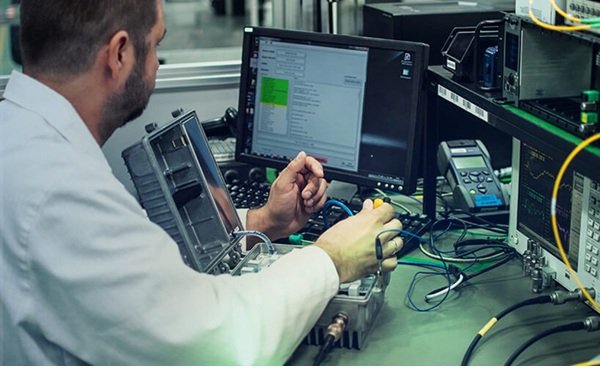
Building and testing electronic products often begins with breadboarding—a practical, flexible approach that allows engineers, designers, and hobbyists to bring circuit ideas to life before committing to a final design. This electronic product breadboarding guide provides a step-by-step overview of breadboarding fundamentals, best practices, and troubleshooting tips to help you prototype efficiently and avoid common pitfalls.
Breadboarding is a cornerstone of modern electronics development. It enables rapid experimentation, easy modifications, and risk-free testing of new concepts. Whether you are developing a consumer gadget, an IoT device, or a custom industrial solution, mastering breadboarding techniques can save time, reduce costs, and improve the reliability of your final product.
For those interested in the broader context of electronics development, including how breadboarding fits into the overall design process, the electronic product design performance testing guide offers valuable insights into validating and refining your prototypes.
Understanding Breadboarding and Its Role in Prototyping
Breadboarding is the process of assembling electronic circuits on a reusable, solderless platform called a breadboard. This method allows for quick circuit construction and easy changes without permanent connections. Breadboards are especially useful during the early stages of product development, where design changes are frequent and flexibility is essential.
In the context of an electronic product breadboarding guide, it’s important to recognize the main advantages of this approach:
- Rapid iteration: Quickly test new ideas and modify circuits as needed.
- Cost-effective: No need for custom PCBs or soldering during early development.
- Risk reduction: Identify design flaws before investing in manufacturing.
- Accessibility: Suitable for both professionals and beginners.
Essential Tools and Materials for Breadboarding
Before starting your first prototype, gather the following tools and components to ensure a smooth breadboarding experience:
- Breadboard: Choose a size that matches your project’s complexity. Standard full-size boards are ideal for most applications.
- Jumper wires: Pre-cut and flexible wires for making connections between breadboard rows and columns.
- Power supply: A regulated DC supply or battery pack suitable for your circuit’s voltage and current requirements.
- Electronic components: Resistors, capacitors, LEDs, transistors, ICs, sensors, and other parts specific to your design.
- Multimeter: For measuring voltage, current, and resistance during testing.
- Oscilloscope (optional): Useful for analyzing signals in more advanced projects.

Step-by-Step Breadboarding Process
Following a structured approach when assembling your prototype helps minimize errors and streamlines troubleshooting. Here’s a practical workflow for breadboarding electronic products:
- Plan your circuit: Start with a clear schematic diagram. Use software or hand-drawn sketches to map out connections and component placement.
- Prepare the breadboard: Familiarize yourself with the breadboard’s layout—typically, power rails run along the sides, and central rows are used for component leads.
- Insert components: Place ICs, resistors, capacitors, and other parts according to your schematic. Keep related components close together to minimize wiring complexity.
- Connect with jumper wires: Use short, direct wires for connections. Avoid crossing wires whenever possible to keep the layout tidy and readable.
- Double-check connections: Review your work against the schematic to catch mistakes before powering up.
- Apply power: Connect your power supply, ensuring correct polarity and voltage levels. Start with a low current limit to protect components.
- Test and debug: Use a multimeter to verify voltages and continuity. If the circuit doesn’t work as expected, systematically check each section for errors.
Best Practices for Reliable Breadboarding
To maximize the effectiveness of your breadboarding efforts, keep these best practices in mind:
- Use color-coded wires: Assign colors to different signal types (e.g., red for power, black for ground) to reduce confusion.
- Keep wires short: Long, looping wires can introduce noise and make troubleshooting difficult.
- Label key points: Mark important test points or unusual connections with small labels or notes.
- Secure the breadboard: Attach it to a stable surface to prevent accidental disconnections.
- Document changes: Update your schematic as you make modifications to avoid losing track of the current design.
For projects that will eventually transition to a printed circuit board, consider reviewing the electronic product design pcb material selection resource to ensure a smooth migration from breadboard to production hardware.
Common Challenges and Troubleshooting Tips
Even experienced engineers encounter issues when breadboarding. Here are some frequent challenges and ways to address them:
- Poor connections: Breadboard contacts can wear out or become loose. If a section is unreliable, try moving components to a different area.
- Power supply problems: Double-check voltage and current ratings. Use decoupling capacitors to stabilize sensitive circuits.
- Signal interference: Keep analog and digital sections separate, and use ground planes where possible.
- Component orientation: Ensure polarized components (diodes, electrolytic capacitors, ICs) are inserted correctly.
- Overheating: If a component gets hot, disconnect power immediately and check for shorts or incorrect values.
Transitioning from Breadboard to Final Product
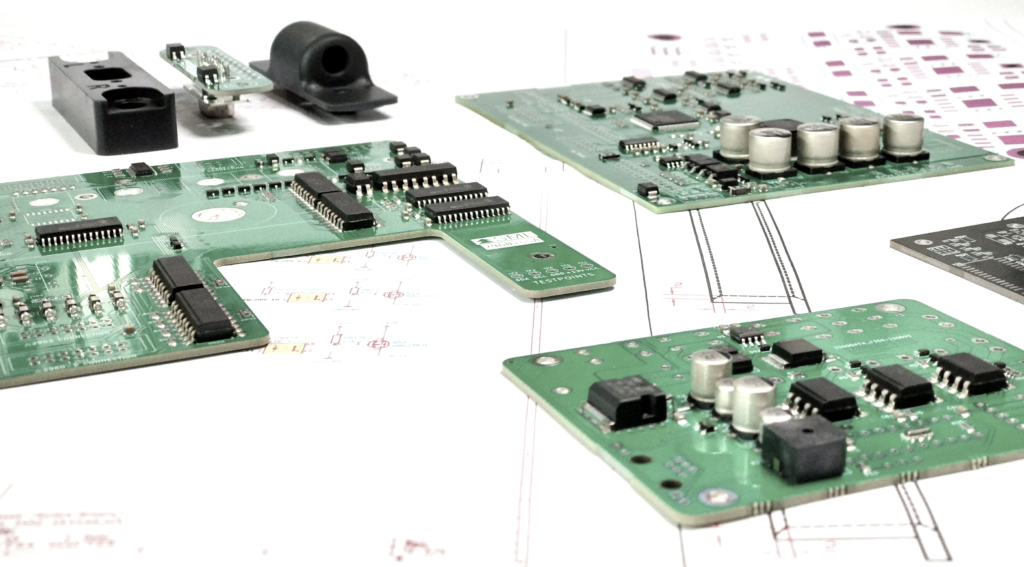
Once your prototype is working reliably on the breadboard, it’s time to consider moving toward a more permanent solution. This typically involves designing a custom PCB, selecting appropriate materials, and integrating the circuit into an enclosure. At this stage, thorough documentation and testing are crucial to ensure that the final product performs as expected.
For more information on the next steps after breadboarding, including cost considerations and mechanical integration, explore resources such as the electronic product lifecycle cost analysis and electronic product mechanical integration guide.
Additional Resources for Electronic Design and Breadboarding
To deepen your understanding of breadboarding and related design practices, consider consulting expert resources. The comprehensive electronics design knowledge base covers a wide range of topics, from circuit theory to advanced prototyping techniques.
Localization and regulatory requirements may also affect your design. For guidance on adapting products for different markets, see the electronic product localization considerations article.
Frequently Asked Questions
What is the main purpose of breadboarding in electronic product development?
Breadboarding allows designers to quickly assemble and test circuit ideas without soldering. It helps identify design flaws, optimize layouts, and verify functionality before committing to a permanent solution like a printed circuit board.
Can breadboarded circuits be used in final products?
Breadboards are intended for prototyping and testing only. They are not suitable for long-term use due to unreliable connections and limited current capacity. Once a design is validated, it should be transferred to a soldered PCB for durability and performance.
How can I avoid common mistakes when breadboarding?
Carefully follow your schematic, use color-coded and short wires, double-check component orientation, and test connections with a multimeter. Keeping your workspace organized and documenting changes will also help prevent errors.
