

Wearable technology has rapidly evolved, moving from simple fitness trackers to advanced smartwatches, health monitors, and even smart clothing. As these devices become more integrated into daily life, the importance of user experience challenges in wearables grows. Creating seamless, intuitive, and comfortable interactions is essential for adoption and long-term engagement. However, the road to delivering a satisfying experience is filled with unique hurdles that differ from those found in traditional mobile or desktop environments.
In this article, we’ll explore the most pressing obstacles faced by designers and developers when building wearable devices. We’ll also highlight practical solutions and best practices to ensure wearables are not only functional but also enjoyable to use. For a deeper dive into the principles that guide successful wearable design, you may also find our resource on human centered design for wearables helpful.

Understanding the Complexities of Wearable User Interfaces
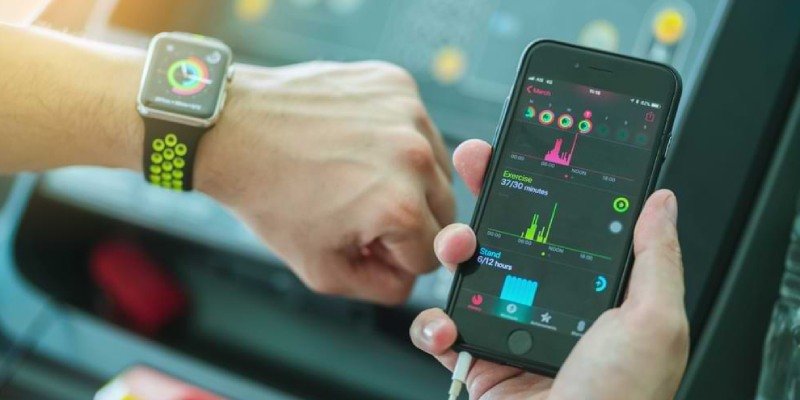
One of the most significant user experience challenges in wearables is designing effective user interfaces for tiny screens and unconventional form factors. Unlike smartphones or tablets, wearables often have limited display space, making it difficult to present information clearly or allow for complex interactions.
Designers must prioritize minimalism, focusing on essential features and reducing cognitive load. Navigation should be simple, with clear icons and gestures that are easy to remember. For example, smartwatches often rely on swipes, taps, or rotating bezels to move between screens, but these controls must be intuitive and responsive to avoid user frustration.
Comfort, Fit, and Physical Usability
Physical comfort is a core aspect of the overall experience. Wearables are worn on the body for extended periods, so they must be lightweight, breathable, and non-irritating. Poor fit or uncomfortable materials can lead to users abandoning the device, regardless of its technical capabilities.
In addition to comfort, usability is affected by how easily users can interact with the device while moving or performing daily tasks. Buttons should be easy to press, and screens should remain readable in various lighting conditions. Designers must also consider accessibility for users with different physical abilities.
Battery Life and Power Management
Limited battery capacity is a persistent issue in wearable technology. Devices must balance advanced features—such as continuous health monitoring or GPS tracking—with the need for long-lasting power. Frequent charging can disrupt the user experience and reduce satisfaction.
To address this, developers often use low-power components, optimize software for efficiency, and provide clear battery status indicators. Some wearables offer power-saving modes or adaptive brightness to extend battery life. Striking the right balance between functionality and endurance is an ongoing challenge.
Data Privacy and Security Concerns
Wearables often collect sensitive personal data, including health metrics, location, and daily routines. Ensuring that this information is securely stored and transmitted is critical for user trust. Data breaches or unclear privacy policies can deter potential users and damage brand reputation.
Developers should implement robust encryption, transparent privacy settings, and clear consent mechanisms. Regular security updates and compliance with data protection regulations are also essential for maintaining user confidence.
Seamless Connectivity and Integration
Many wearables rely on connections to smartphones or cloud services to deliver their full functionality. Unreliable Bluetooth or Wi-Fi connections can disrupt syncing, notifications, or real-time data tracking. Ensuring seamless integration with other devices and platforms is a major part of overcoming user experience challenges in wearables.
Developers must test for compatibility across different operating systems and device models. For more on how these connections work, see our guide on wearable connectivity explained. Reliable pairing, automatic reconnection, and clear troubleshooting steps all contribute to a smoother experience.
Notifications and Information Overload
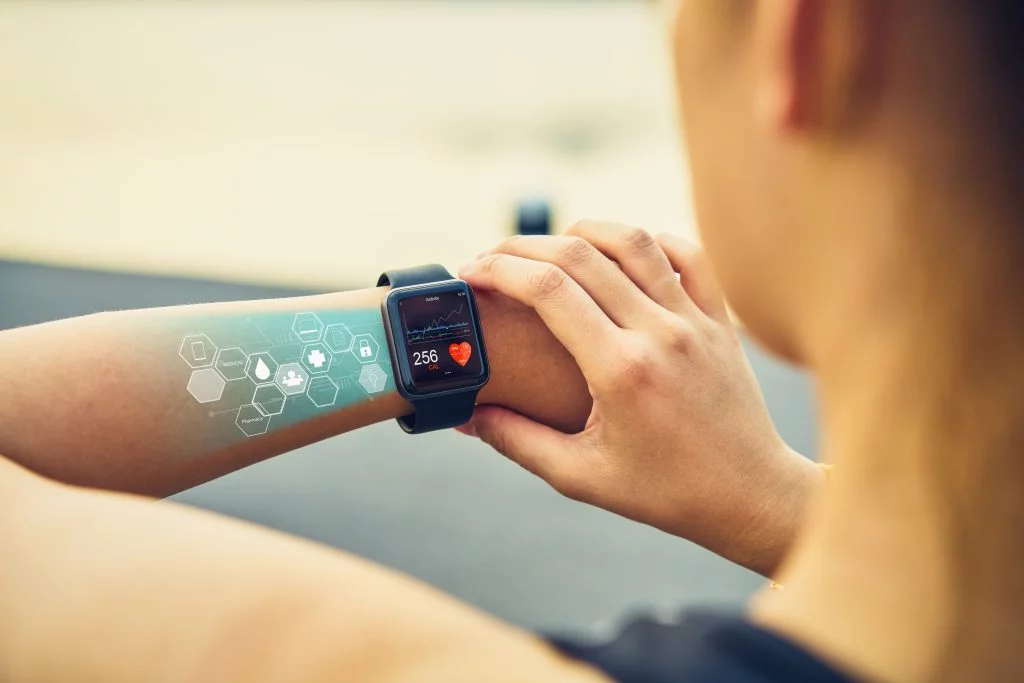
Wearables are designed to deliver timely information, but too many notifications can quickly become overwhelming. Users may experience alert fatigue if their device buzzes or beeps too frequently, leading them to disable notifications altogether or stop wearing the device.
The solution lies in smart notification management. Devices should allow users to customize which alerts they receive and how they are delivered. Context-aware notifications—such as only alerting users to urgent messages during workouts—can help maintain relevance without causing distraction.
Personalization and Adaptive Experiences
No two users are exactly alike, and wearables must cater to a wide range of preferences, body types, and usage patterns. Personalization options, such as customizable watch faces, adjustable straps, and tailored health insights, can greatly enhance satisfaction.
Adaptive software that learns from user behavior and adjusts recommendations or interface elements accordingly is becoming more common. This not only improves usability but also fosters a sense of ownership and engagement.
Keeping Up With Evolving Technology
The pace of innovation in wearables is rapid, with new sensors, materials, and connectivity options emerging regularly. Staying ahead of these trends while maintaining a consistent and reliable user experience is a significant challenge for both manufacturers and software developers.
For a look at some of the latest advancements in wearable technology, you can explore resources like how computer clothing and smart textiles are changing the landscape.
Best Practices for Overcoming Wearable UX Obstacles
- Prioritize simplicity: Focus on core features and keep navigation intuitive.
- Test for comfort: Use ergonomic materials and gather feedback from diverse users.
- Optimize battery usage: Balance features with power-saving strategies.
- Protect user data: Implement strong security measures and transparent privacy policies.
- Ensure reliable connectivity: Test across devices and provide clear support for troubleshooting.
- Allow personalization: Let users control notifications and customize their experience.
FAQ: Addressing Common Questions About Wearable User Experience
What makes designing for wearables different from smartphones?
Wearables have much smaller screens, are worn on the body, and often require hands-free or glanceable interactions. This means designers must focus on simplicity, minimalism, and comfort, while also considering battery life and physical usability.
How can wearables improve data privacy for users?
By using end-to-end encryption, providing clear privacy controls, and regularly updating security protocols, wearable devices can better protect sensitive information. Transparent communication about data usage also helps build user trust.
What are the biggest barriers to widespread adoption of wearables?
The main obstacles include short battery life, discomfort during prolonged use, complex or unintuitive interfaces, and concerns about data privacy. Addressing these issues through thoughtful design and robust security is key to broader acceptance.
How do wearables handle connectivity with other devices?
Most wearables use Bluetooth or Wi-Fi to sync with smartphones or cloud services. Reliable pairing, automatic reconnection, and compatibility with multiple operating systems are crucial for a seamless experience. For more details, see our article on how wearable apps communicate with smartphones.
